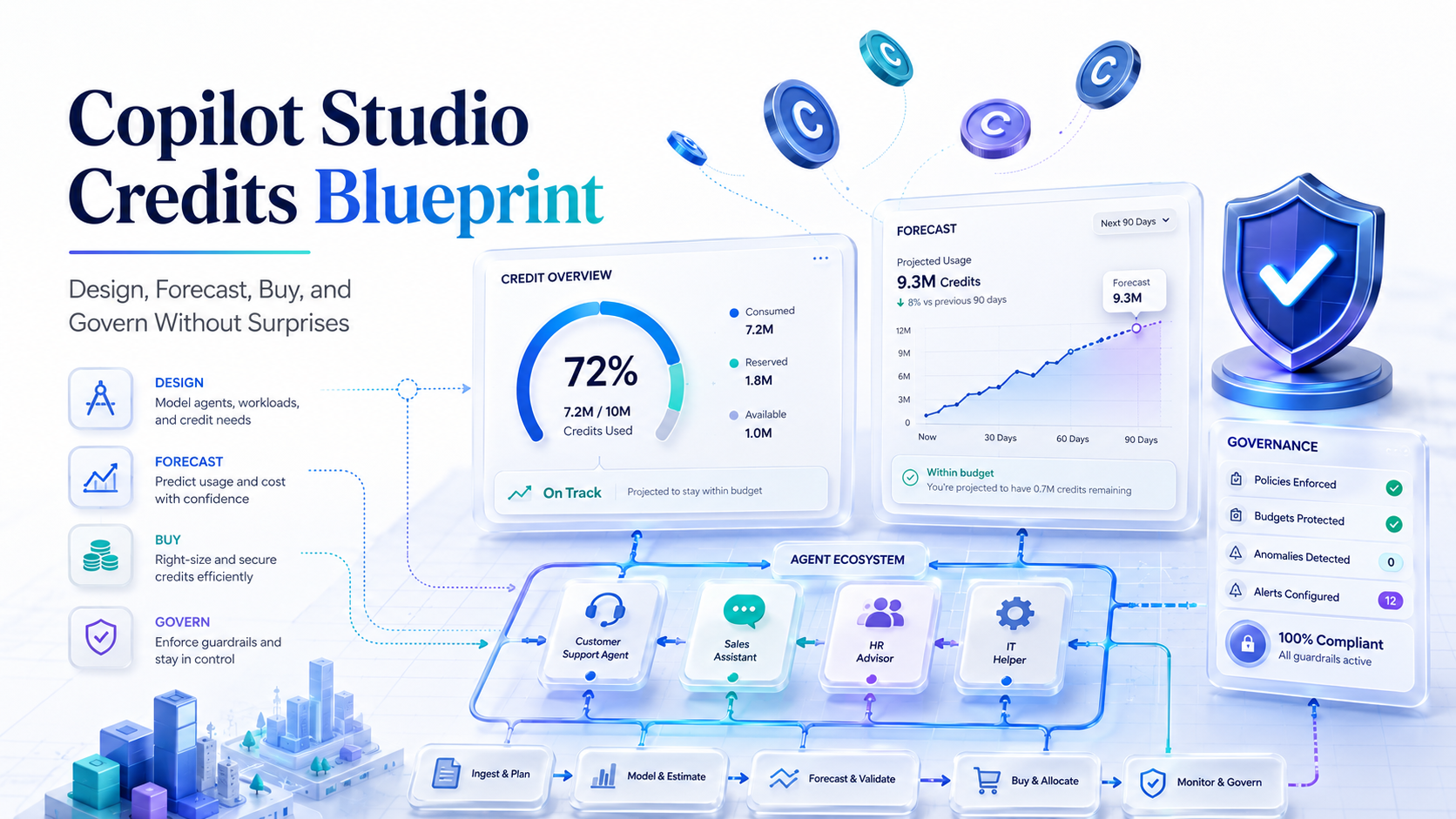
Treat Copilot Studio like a metered cloud platform, not a chatbot license.
The unit you manage is no longer “messages.” Microsoft says Copilot Credits are the common currency across Copilot Studio capabilities, and that the change from messages to Copilot Credits started on September 1, 2025 with no change to prepaid pack quantity or pay-as-you-go rate. S1
That wording matters. A single user-visible agent run can burn several meters at once: classic answers, generative answers, tenant graph grounding, agent actions, agent flow actions, prompt tokens, premium reasoning tokens, document pages, images, and voice minutes. If the forecast is still based on raw conversation count, it is the wrong model.
The right question is not:
How many chats will we have?
It is:
For each successful task, which billable features fire, how often,
for which user cohort, and under which billing posture?
This is the blueprint I would use to design, forecast, buy, and govern Copilot Studio without pretending a demo transcript is a cost model.
Assumptions in the math below: USD public pricing, no enterprise discount, no tax, no regional currency adjustment, and a 30-day month unless stated otherwise. Microsoft pricing and licensing can change. Treat the links at the end as the current primary-source trail, then reconcile everything against your tenant telemetry and commercial agreement before procurement.
Executive Signal
Model Copilot Credit burn per agent run, not message count.
Microsoft’s billing table makes the architecture visible:
- Classic answers are cheap and deterministic.
- Generative answers are still cheap by themselves.
- Tenant graph grounding is a meaningful multiplier.
- Agent actions add up when tools retry.
- Premium reasoning is token-sensitive.
- Voice is duration-sensitive.
- Document processing is page-sensitive.
The second governance lesson is just as important:
Adoption analytics are not billable consumption.
Viva, Copilot Analytics, user activity, and business adoption dashboards help answer whether people are using agents. They do not replace Power Platform Admin Center, Azure billing, Microsoft 365 Cost Management, or Copilot Credit consumption details for what is actually being charged.
The Credit Model
Microsoft’s Copilot Studio billing rates currently list these base meters. S2 AI tools and AI Builder capability rates are published separately and map into the same Copilot Credit currency. S3
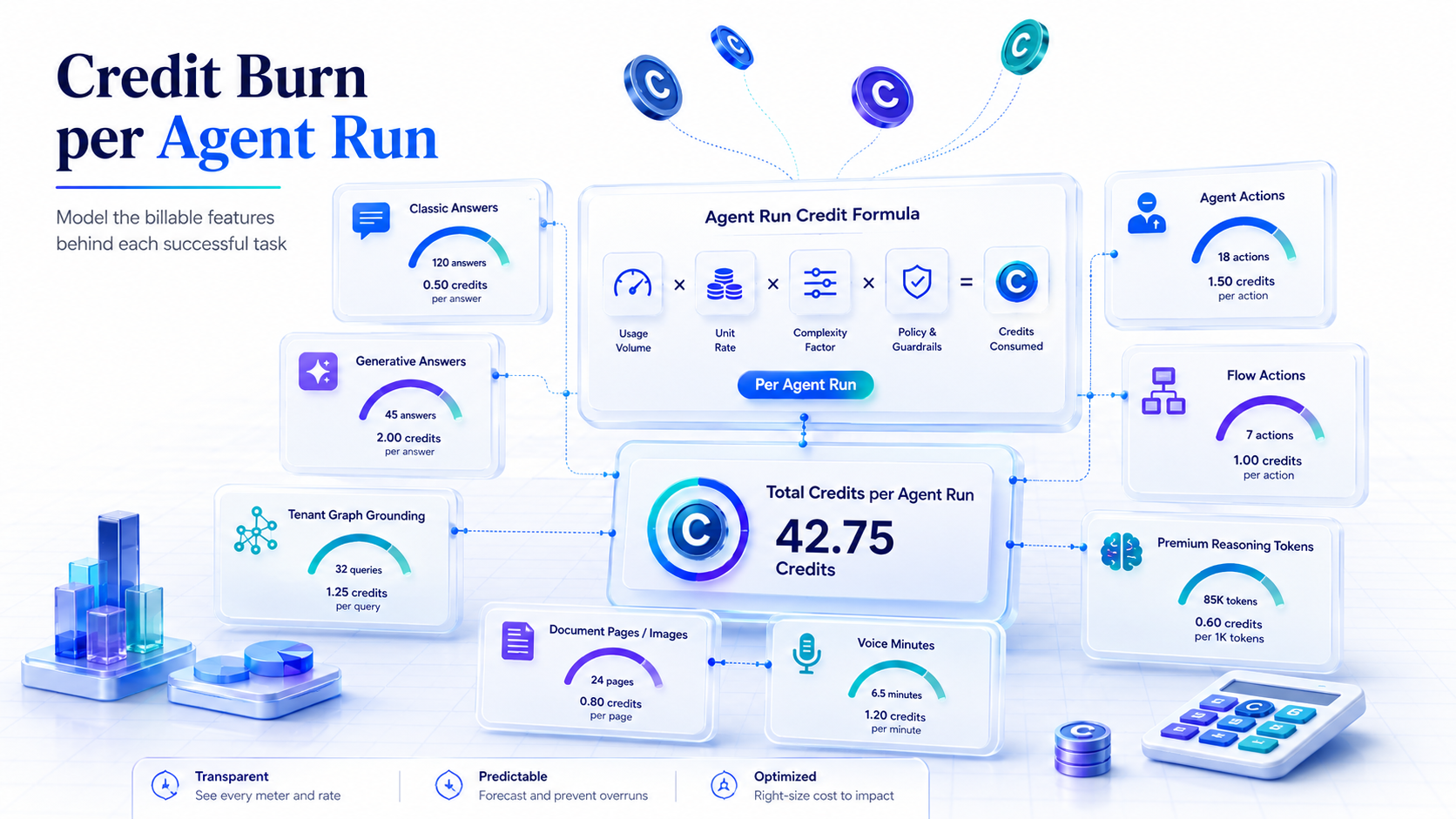
| Feature | Credit rate | PAYG cost equivalent | Use it when | Watch-out |
|---|---|---|---|---|
| Classic answer | 1 credit | $0.01 | Scripted response, routing, status text, disclaimers | Cheapest path, but brittle if overused |
| Generative answer | 2 credits | $0.02 | Q&A over curated knowledge | Cheap alone; not cheap when paired with grounding, actions, or reasoning |
| Tenant graph grounding | 10 credits | $0.10 | Microsoft Graph, SharePoint, connector-grounded enterprise answers | Often the real internal-agent cost driver |
| Agent action | 5 credits | $0.05 | Tool calls, topic transitions, triggers, workflow steps | Retries and unnecessary tools multiply cost |
| Agent flow actions | 13 credits / 100 actions | $0.13 / 100 actions | High-volume repeatable workflow steps | Prepaid exhaustion can block new flow runs |
| AI tools - basic | 0.1 credits / 1K tokens, chars, image, or page | $0.001 / 1K | Lightweight extraction or simple prompts | Usually not the budget killer |
| AI tools - standard | 1.5 credits / 1K tokens, chars, image, or page | $0.015 / 1K | Classification, translation, standard prompts | Matters at high token volume |
| AI tools - premium | 10 credits / 1K tokens, chars, image, or page | $0.10 / 1K | Advanced reasoning, code execution, premium prompts | This is where one answer can become expensive |
| Content processing | 8 credits / page or image | $0.08 / page or image | Invoice, document, or image processing | Predictable but high-volume workloads add up |
| Voice Basic / Standard / Premium | 10 / 35 / 75 credits per minute | $0.10 / $0.35 / $0.75 per minute | Phone and real-time voice agents | Long calls create linear spend growth |
Use this formula before build approval:
Credits per successful run =
  classic_answers * 1
+ generative_answers * 2
+ tenant_graph_grounding_events * 10
+ agent_actions * 5
+ agent_flow_actions / 100 * 13
+ basic_AI_tool_tokens_K * 0.1
+ standard_AI_tool_tokens_K * 1.5
+ premium_AI_tool_tokens_K * 10
+ content_pages_or_images * 8
+ voice_minutes * voice_rate
For reasoning-capable models, do not price the answer as “just a generative answer.” Microsoft says reasoning model billing has two parts: the normal feature rate plus premium text and generative AI tools token usage. S2
So a reasoning-backed answer is:
base feature rate + premium token consumption + grounding/actions if used
Buying Strategy
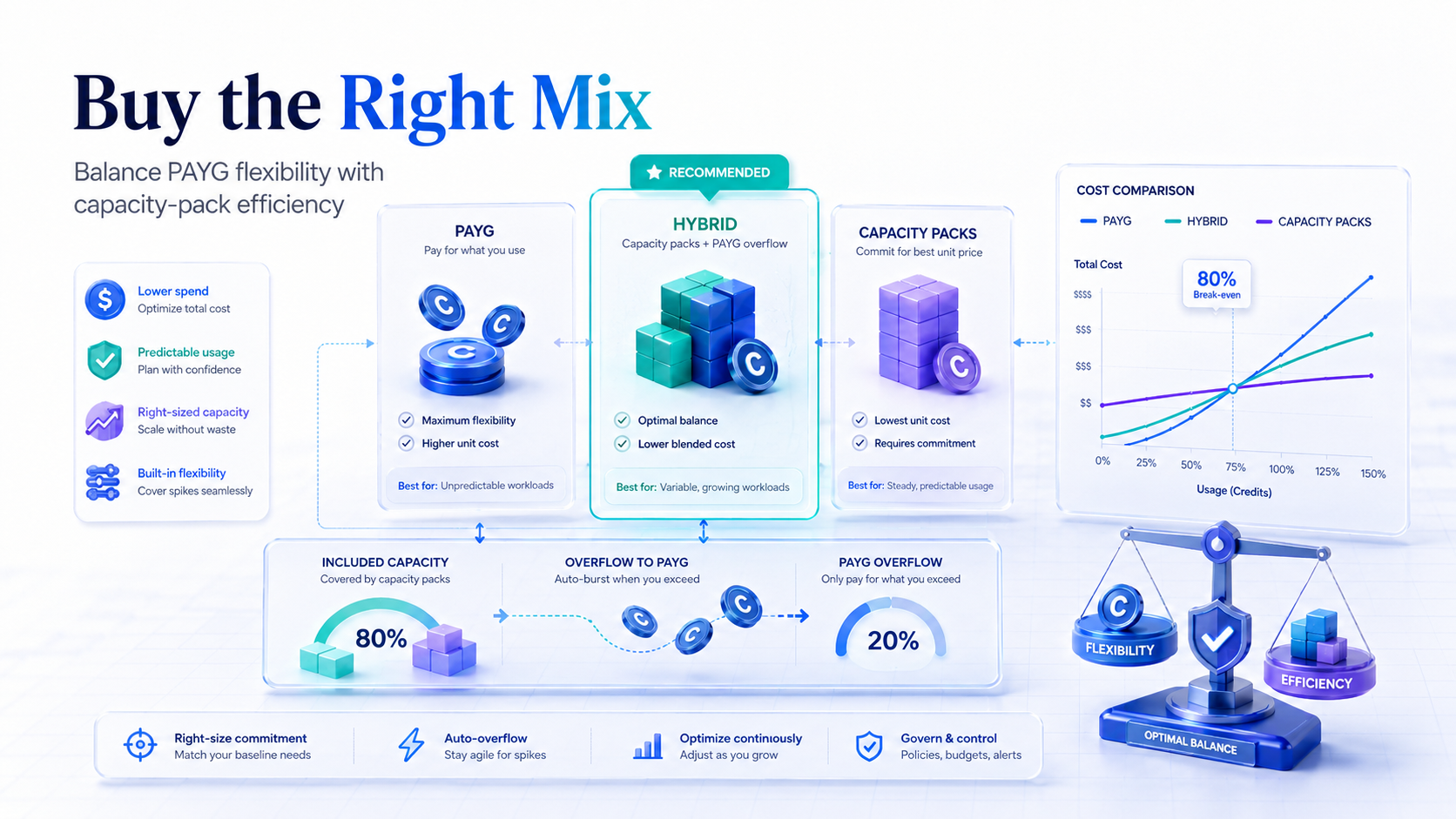
Microsoft currently presents three main buying paths for Copilot Studio credits:
| Purchase path | Unit economics | Best fit | Trap |
|---|---|---|---|
| Pay-as-you-go | $0.0100 / credit | Pilot, seasonal, low-volume, unpredictable usage | Flexible, but no natural spend ceiling unless you configure controls |
| Capacity pack | $200 / 25,000 credits = $0.0080 / credit if fully used | Stable monthly baseline | Unused monthly credits do not roll over |
| Capacity pack + PAYG fallback | Base at $0.0080, overflow at $0.0100 | Production agents with predictable baseline and unpredictable spikes | Needs billing-policy and capacity governance |
| Copilot Credit Pre-Purchase Plan | Tier-dependent annual pool | Enterprise annual commitment and cross-workload variability | Lower tiers are not automatically cheaper than fully used monthly packs |
The simple buying rule:
A $200 pack breaks even against PAYG at 20,000 credits/month.
Since a pack contains 25,000 credits, you need 80% utilization to beat PAYG. In a hybrid model, buy another monthly pack only when the predictable overflow above your existing packs is more than 20,000 credits/month. Otherwise, let PAYG absorb the remainder.
Microsoft documents prepaid capacity at 25,000 credits per month per pack and says paired PAYG can cover usage beyond prepaid capacity. S9 The December 2025 Copilot Studio licensing guide lists PAYG at $0.01 per credit, capacity packs at $200 for 25,000 credits/month, and a Copilot Credit Pre-Purchase Plan with tiered annual discounts. S5
The P3 nuance is important. Tier 1 converts to 300,000 credits for $2,850, or $0.0095/credit. Tier 5 converts to 30,000,000 credits for $270,000, or $0.0090/credit. Tier 9 converts to 300,000,000 credits for $2,400,000, or $0.0080/credit. S5
P3’s value is annual pooling and commitment mechanics. It is not automatically cheaper than fully consumed monthly packs at smaller tiers.
Worked Examples
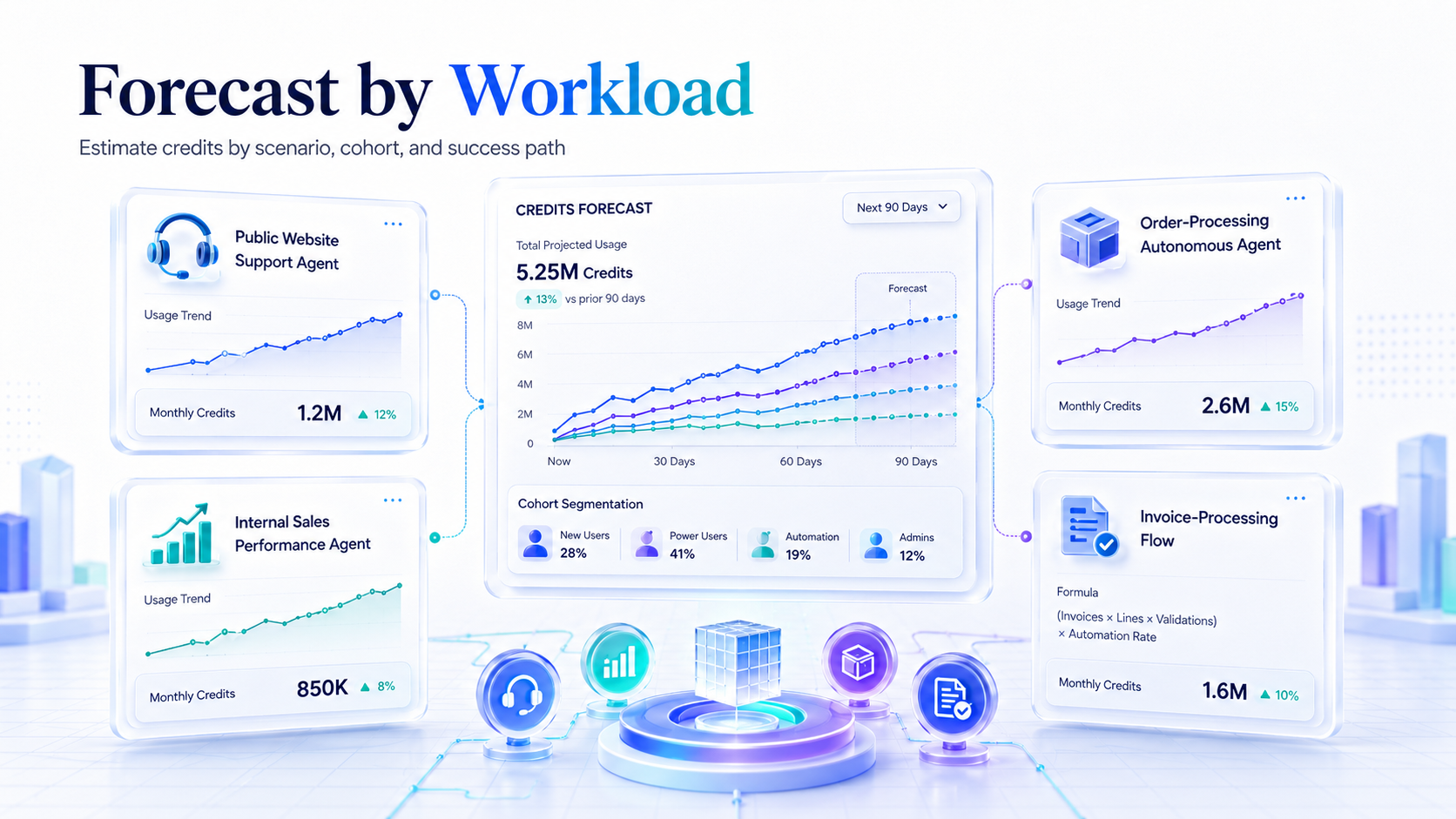
Public Website Support Agent
Microsoft’s own support-agent example uses four classic answers plus two generative answers for 900 customers/day:
[(4 * 1) + (2 * 2)] * 900 = 7,200 credits/day
At 30 days, that is 216,000 credits/month. S2
| Option | Calculation | Monthly cost |
|---|---|---|
| PAYG only | 216,000 * $0.01 | $2,160 |
| Packs only | 9 packs = 225,000 credits | $1,800 |
| Hybrid optimized | 8 packs = 200,000 credits + 16,000 PAYG credits | $1,760 |
Design decision: use classic answers for identity, routing, return-window text, escalation language, and refusal boundaries. Use generative answers for long-tail troubleshooting. Do not put every turn through generative retrieval just because the agent can.
Internal Sales Performance Agent
Microsoft’s sales-performance example uses four generative answers plus four tenant graph grounding events:
4 * 2 + 4 * 10 = 48 credits per billable run
The example includes 50 Microsoft 365 Copilot licensed users and 100 unlicensed users, then calculates only the 100 unlicensed users:
48 * 100 = 4,800 credits/day
At 30 days, that is 144,000 credits/month. S2
| Option | Calculation | Monthly cost |
|---|---|---|
| PAYG only | 144,000 * $0.01 | $1,440 |
| Packs only | 6 packs = 150,000 credits | $1,200 |
| Hybrid optimized | 5 packs = 125,000 credits + 19,000 PAYG credits | $1,190 |
Design decision: split internal audiences into Microsoft 365 Copilot licensed and unlicensed cohorts. Microsoft says employee-facing B2E usage by a Microsoft 365 Copilot licensed user can be included when the agent operates using that authenticated user’s identity, subject to fair use limits. S2
Do not average licensed and unlicensed users together. You will either overbuy or underbuy.
Order-Processing Autonomous Agent
Microsoft’s order-processing example uses four agent actions:
4 * 5 = 20 credits/run
At 1,500 orders/month, that is 30,000 credits/month. S2
| Option | Calculation | Monthly cost |
|---|---|---|
| PAYG only | 30,000 * $0.01 | $300 |
| Packs only | 2 packs = 50,000 credits | $400 |
| Hybrid optimized | 1 pack = 25,000 credits + 5,000 PAYG credits | $250 |
Design decision: this is a clean hybrid case. Two packs waste 20,000 credits. PAYG-only is easy but costs more. One pack plus PAYG overflow is the economic sweet spot.
Invoice Processing Agent Flow
Assume 2,000 invoices/month, 3 pages each, plus 6,000 total agent-flow actions.
Content processing = 2,000 * 3 * 8 = 48,000 credits
Agent-flow actions = 6,000 / 100 * 13 = 780 credits
Total = 48,780 credits/month
| Option | Calculation | Monthly cost |
|---|---|---|
| PAYG only | 48,780 * $0.01 | $487.80 |
| Packs only | 2 packs = 50,000 credits | $400 |
| Hybrid optimized | 2 packs, no overflow | $400 |
Design decision: document processing is forecastable. Put file size and page limits in the intake path, reject bad scans early, and separate “extract structured data” from “reason over extracted data.” Do not send every full document into premium reasoning.
Voice Support Agent
Assume 500 calls/month, 4 minutes average handle time, Standard Voice.
500 * 4 * 35 = 70,000 credits/month
| Option | Calculation | Monthly cost |
|---|---|---|
| PAYG only | 70,000 * $0.01 | $700 |
| Packs only | 3 packs = 75,000 credits | $600 |
| Hybrid optimized | 2 packs = 50,000 credits + 20,000 PAYG credits | $600 |
Design decision: voice spend is duration-driven. Track average handle time, abandonment, transfer rate, and silence. A 4-minute call becoming 8 minutes doubles cost before you even analyze answer quality.
Premium Reasoning Case Review
Assume each case uses one generative answer, three agent actions, and 5,000 premium reasoning tokens.
2 + (3 * 5) + (5 * 10) = 67 credits/case
For 4,000 cases/month:
67 * 4,000 = 268,000 credits/month
| Option | Calculation | Monthly cost |
|---|---|---|
| PAYG only | 268,000 * $0.01 | $2,680 |
| Packs only | 11 packs = 275,000 credits | $2,200 |
| Hybrid optimized | 10 packs = 250,000 credits + 18,000 PAYG credits | $2,180 |
Now stress it: if each case uses 20,000 premium tokens instead of 5,000, the per-case cost becomes:
2 + 15 + 200 = 217 credits/case
At 4,000 cases, that is 868,000 credits, or $8,680 PAYG.
This is why premium reasoning needs a use-case gate, a token budget, and p95 monitoring.
Phase 0: Classify Every Agent
Before anyone builds, force the product owner to answer these questions:
| Question | Why it matters |
|---|---|
| Is the audience external, internal unlicensed, or Microsoft 365 Copilot licensed? | The same workflow can be billable or nonbillable depending on user, license, and identity conditions. |
| Is the agent B2E, B2C, autonomous, or workflow-triggered? | B2E licensed-user usage can be included; anonymous, external, and autonomous processing usually needs credit capacity. |
| Does it need SharePoint, Graph, or connector grounding? | Tenant graph grounding is 10 credits per event when billed. |
| Does it need actions or agent flows? | Actions cost 5 credits each; flows cost 13 credits per 100 actions and have separate enforcement behavior. |
| Does it use premium reasoning, code interpreter, or document processing? | Premium AI tools and content processing can dominate cost. |
| What happens if it stops? | This determines prepaid-only versus PAYG fallback versus hard cap. |
| What are p50, p95, and launch-week traffic assumptions? | Mean usage underestimates cost and quota risk. |
Do not approve this:
Build an HR agent.
Approve something like this:
HR policy Q&A for 8,000 employees.
2,000 Microsoft 365 Copilot licensed users.
6,000 unlicensed users.
SharePoint grounded.
No premium reasoning.
2.5 turns/session.
20 working days/month.
Hard cap at 400,000 credits/month.
Specificity is the control.
Phase 1: Build a Copilot Credit BOM
Every user journey needs a Copilot Credit bill of materials.
| Journey: “Where is my order?” | Feature | Rate | Count/run | Credits/run |
|---|---|---|---|---|
| Greet and route | Classic answer | 1 | 1 | 1 |
| Authenticate and collect order ID | Classic answer | 1 | 1 | 1 |
| ERP order lookup | Agent action | 5 | 1 | 5 |
| Shipment status lookup | Agent action | 5 | 1 | 5 |
| Summarize answer | Generative answer | 2 | 1 | 2 |
| Total | 14 |
At 10,000 runs/month:
10,000 * 14 = 140,000 credits
PAYG cost is $1,400. Hybrid cost is 5 packs plus 15,000 PAYG credits = $1,150. Packs-only cost is 6 packs = $1,200.
That table is more useful than a 40-slide AI strategy deck.
Phase 2: Design for Lower Burn
Use the cheapest reliable path, not the most agentic path.
| Pattern | Do this | Avoid this |
|---|---|---|
| Deterministic answer | Classic answer | Generative answer for static policy text |
| Enterprise knowledge | Curated SharePoint, Dataverse, or connector sources with user auth | One giant uncurated knowledge base |
| Microsoft Graph grounding | Use Work IQ where it materially improves retrieval | Turning Work IQ on everywhere without cost/quality evidence |
| Actions | One well-designed action that returns exactly what the agent needs | Multi-step tool chains with vague outputs and retries |
| Reasoning | Gate premium reasoning to complex cases | Premium reasoning for classification or boilerplate summaries |
| Documents | Extract structured data first, reason second | Reasoning over entire documents every time |
| Voice | Keep menus and data collection tight | Letting calls wander because the agent can talk |
Work IQ is powerful, but not a blanket toggle. Microsoft says Work IQ uses semantic search, requires generative orchestration, requires a Microsoft 365 Copilot license in the same tenant with a semantic index configured, and requires user authentication set to “Authenticate with Microsoft.” Microsoft also says it can improve SharePoint retrieval quality while increasing latency for some users and queries. S10
For regulated or policy-sensitive agents, turn off ungrounded answers where appropriate and require the agent to call a knowledge source or tool before answering. That is not a perfect guarantee against every model behavior, but it narrows the failure surface.
Phase 3: Set Billing Guardrails
Use separate environments by risk and billing posture.
| Environment | Billing posture | Guardrail |
|---|---|---|
| DEV | No PAYG or very low cap | Prevent accidental spend during experimentation |
| TEST/UAT | Small prepaid allocation | Run representative tests without production exposure |
| PROD controlled | Prepaid capacity only | Suitable when downtime at cap is acceptable |
| PROD critical | Prepaid baseline + PAYG fallback | Suitable when downtime is worse than overage |
| Premium reasoning sandbox | Explicit cap, short pilot window | Prevent token-heavy experiments from leaking into production spend |
Pay-as-you-go links environments to Azure billing through a billing plan. Power Platform Admin Center can allocate prepaid capacity, track billed versus nonbillable credits, show usage by environment and product, and set monthly consumption limits for agents. S7
Budgets are not hard stops. Microsoft says Microsoft 365 pay-as-you-go budgets can send alerts, but reaching 100% of the budget does not stop service or billing. S8
Minimum production controls:
| Control | Target |
|---|---|
| Per-agent monthly limit | Approved forecast plus contingency, not unlimited |
| Alerts | 50%, 75%, 90%, and 100% of forecast/cap |
| Hard stop | On for noncritical agents; explicit decision for critical agents |
| PAYG fallback | On only where business continuity justifies overage |
| Azure budget | Required, but treated as notification-only |
| Owner | Named business owner, technical owner, and finance cost center |
| Review cadence | Weekly for first 30 days, monthly after stabilization |
Phase 4: Pilot With Telemetry
A credible pilot needs representative prompts and real credit telemetry.
| Pilot metric | Why it matters |
|---|---|
| Credits per successful task, p50/p95 | Average hides expensive edge cases |
| Credits per failed task | Failures often burn tools and reasoning before escalation |
| Grounding events per answer | Graph grounding is expensive when billed |
| Actions per successful task | Tool retries are hidden cost multipliers |
| Premium tokens per task | Required for reasoning cost control |
| Containment rate | If humans still handle everything, savings are fake |
| Escalation quality | Bad handoffs destroy ROI |
| Latency p95 | Work IQ, tool calls, and reasoning can increase wait time |
| Billed versus nonbillable split | Confirms Microsoft 365 Copilot licensed-user assumptions |
Microsoft’s estimator is useful before the pilot, but Microsoft explicitly frames it as informational. It says the estimator is not a pricing calculator, does not guarantee costs, and actual consumption depends on real usage patterns. S6
Use it to create low/base/high scenarios. Then reconcile against tenant telemetry after pilot traffic.
Production acceptance gate:
Ship only if:
1. p95 credits per successful task <= forecast p95 + 20%
2. no uncapped premium reasoning path exists
3. no uncapped public or external channel exists
4. per-agent monthly limit is configured
5. production billing posture is approved by finance
6. fallback and escalation behavior has been tested
7. owner signs off on forecast, cap, and downtime/overage policy
Phase 5: Check Quota, Not Just Budget
Credits are not the only limit.
Microsoft documents Copilot Studio quotas per Dataverse environment. Generative AI messages to an agent include features like generative orchestration, agent actions, AI tools, agent flow actions, and generative answers. Current published quotas include:
| Billing capability | Quota |
|---|---|
| 1-10 prepaid packs | 50 RPM / 1,000 RPH |
| 11-50 prepaid packs | 80 RPM / 1,600 RPH |
| 51-150 prepaid packs | 100 RPM / 2,000 RPH |
| Pay-as-you-go environments | 100 RPM / 2,000 RPH |
| Microsoft 365 Copilot users | 100 RPM / 2,000 RPH |
When the quota is reached, the chatting user sees a failure notice. S11
Practical implication: a launch campaign can fail even if you bought enough credits.
For high-traffic public agents, model both:
Monthly cost capacity = expected monthly credits
Throughput capacity = peak generative requests per minute/hour
If a customer-support agent expects 30,000 users on launch day and 20% arrive in the same hour, that is 6,000 users/hour. If even half trigger generative answers, you can exceed a 2,000 RPH quota unless the environment and architecture are planned accordingly.
Governance Operating Model
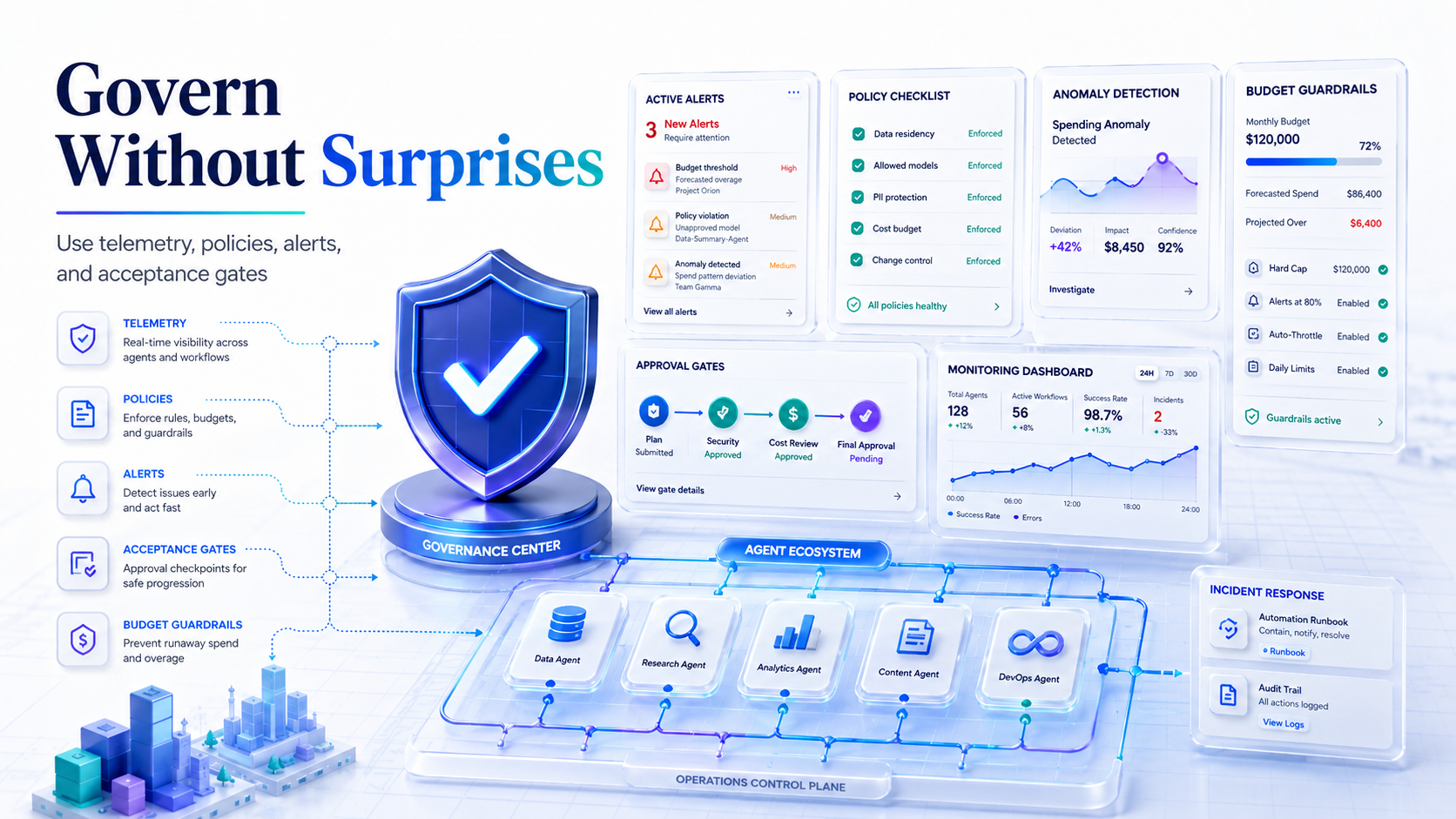
For the first month, run a weekly report:
| Report item | Source |
|---|---|
| Month-to-date prepaid credits consumed | Power Platform Admin Center |
| Month-to-date PAYG credits and cost | Power Platform Admin Center plus Azure or Microsoft 365 Cost Management |
| Usage by environment | Power Platform Admin Center |
| Usage by agent | Power Platform Admin Center Manage Agents |
| Billed versus nonbillable credits | Copilot credit consumption details |
| Feature-level consumption | Copilot credit consumption details |
| Azure cost by resource group or tag | Azure Cost Management |
| Nearing-limit and over-limit agents | Power Platform Admin Center Manage Agents |
Microsoft says Power Platform Admin Center capacity views include daily environment-level consumption for up to three months, detailed daily usage for current month-to-date and the last two full months, and monthly data for the past 12 months. S7
Every month:
- Compare estimated versus actual credits by agent.
- Identify the top five expensive paths.
- Separate useful spend from waste: successful tasks, failed tasks, retries, escalations, and abandoned voice minutes.
- Rebalance packs versus PAYG using the 80% utilization rule.
- Raise or lower per-agent caps.
- Decide whether any internal cohort should move to Microsoft 365 Copilot licensing instead of metered credits.
Microsoft 365 Copilot is currently listed publicly at $30/user/month paid yearly. S12 Purely on credit avoidance, that equals roughly:
$30 / $0.01 = 3,000 PAYG credits/month
$30 / $0.008 = 3,750 fully utilized pack credits/month
That does not mean “buy Copilot for everyone.” It means heavy internal users can cross a threshold where a Microsoft 365 Copilot license may be economically rational before you even count Word, Excel, Outlook, Teams, SharePoint, and analytics benefits.
Spend-Reduction Patterns
Split Agents by Cost Profile
Do not build one mega-agent for HR policy, payroll workflows, onboarding, SharePoint search, document reasoning, and ticket creation.
Split by cost shape:
| Agent type | Cost shape | Example control |
|---|---|---|
| FAQ/policy agent | Mostly classic plus some generative | Low cap, prepaid only |
| Enterprise knowledge agent | Generative plus Work IQ or Graph grounding | Cap by audience, measure grounding frequency |
| Workflow agent | Actions plus agent flows | PAYG fallback if operationally critical |
| Document agent | Content pages plus optional reasoning | Page limits, extraction-first |
| Voice agent | Minutes plus optional tools | Duration limits and transfer thresholds |
This lets you allocate credits and monthly caps by business risk instead of letting one noisy use case drain the tenant pool.
Use Microsoft 365 Copilot Licenses Surgically
For internal B2E users who frequently use agents inside Microsoft 365 contexts, Microsoft 365 Copilot can reduce or eliminate incremental Copilot Studio credit charges under licensed-user identity conditions. For occasional users, PAYG or capacity packs may be cleaner. For external users, Microsoft 365 Copilot licensing is not the answer.
Decision rule:
If internal agent usage > 3,000 PAYG credits/user/month,
evaluate Microsoft 365 Copilot license economics.

If internal agent usage < 1,000 credits/user/month,
PAYG/capacity pool is usually cleaner.

If usage is external or customer-facing,
model as Copilot Studio credits, not M365 Copilot license avoidance.
Treat Work IQ as a Premium Retrieval Path
Use Work IQ where Microsoft 365 context matters:
- “Summarize recent customer emails.”
- “Find the policy from our SharePoint source.”
- “Answer based on my team’s documents.”
Do not use it for public FAQs, static website content, or generic policy explanations that can be handled by classic answers or curated non-tenant knowledge.
Use Agent Flows for Repeatability
If the work is deterministic, push it into an agent flow or workflow pattern:
- create ticket
- update row
- send email
- run approval
- classify field
If the work needs planning or tool selection, use agent actions. But do not make the agent reason through a 10-step deterministic process every time. Microsoft prices agent actions at 5 credits each and agent flow actions at 13 credits per 100 actions, so high-volume deterministic automation can be materially cheaper as flow actions when designed correctly. S2
Gate Premium Reasoning
Use a policy like this:
Premium reasoning allowed only when:
- case value > $X, or
- risk category is high, or
- standard model confidence < threshold, or
- human escalation would cost more than $Y.

Otherwise use standard/basic prompt, classic answer, or deterministic workflow.
Do not allow premium reasoning in fallback topics, greeting topics, retry loops, or unbounded document analysis.
Procurement Language
Put this in vendor statements of work:
Vendor must deliver a Copilot Credit bill of materials for every user journey before build approval. The BOM must identify each Copilot Studio feature invoked, expected count per successful run, expected count per failed run, token assumptions for AI tools and premium reasoning, monthly volume assumptions, Microsoft 365 Copilot licensed versus unlicensed user split, and expected monthly billed/nonbillable credits.
Vendor must configure Power Platform Admin Center governance before production: environment-level capacity allocation, per-agent monthly limits, alert thresholds, hard-stop or PAYG fallback decision, named owner, and cost-center mapping.
Vendor must run an acceptance test using representative prompts and workflows, then reconcile estimated credits against observed tenant consumption. Production acceptance requires p50 and p95 credits per successful task, failed-task credit burn, action retry count, grounding-event count, premium token usage, escalation rate, and latency.
Vendor must not enable premium reasoning, Work IQ, public web search, autonomous triggers, or external channels without written approval showing cost impact.
This makes the supplier accountable for metered architecture, not just “the bot works in demo.”
Red Flags
| Red flag | Why it is dangerous | Fix |
|---|---|---|
| One agent for everything | Every topic inherits expensive capabilities | Split by use case and cap separately |
| Work IQ enabled without test evidence | 10-credit grounding events can dominate internal usage | A/B test retrieval quality versus cost |
| Premium reasoning in fallback | Ambiguous questions become expensive | Route fallback to clarification first |
| No per-agent cap | One bad public launch drains capacity | Configure monthly limits and hard stops |
| PAYG on every sandbox | Experiments become production spend | Sandbox caps and no public endpoints |
| No licensed/unlicensed split | Forecast is wrong | Segment billing model by user cohort |
| Voice with no duration target | Spend grows linearly with call time | Measure AHT, max duration, transfer thresholds |
| Actions retry silently | Failed tasks can cost more than successful ones | Add retry limits and error-specific fallback |
| Testing only happy paths | p95 cost is unknown | Test failure, ambiguity, missing data, and permissions |
| Buying P3 because “discount” | Lower P3 tiers may be more expensive than fully used packs | Compare annual variability versus unit price |
30-Day Rollout Plan
Days 1-5: Financial Architecture
Create a workbook with one row per agent:
Agent
Owner
Audience
Channel
Licensed user %
Unlicensed/internal user %
External user %
Classic answers/run
Generative answers/run
Graph grounding/run
Agent actions/run
Agent flow actions/run
Basic tokens/run
Standard tokens/run
Premium tokens/run
Content pages/run
Voice minutes/run
Runs/month p50
Runs/month p95
Monthly credits p50
Monthly credits p95
Recommended packs
PAYG fallback yes/no
Monthly cap
Hard stop yes/no
Days 6-10: Technical Controls
Configure environments, link PAYG only where justified, allocate prepaid capacity, set per-agent caps, set alert recipients, and create Azure or Microsoft 365 cost views.
Days 11-20: Pilot
Run 300-1,000 representative tasks. Include happy paths, ambiguous prompts, out-of-scope prompts, permission-denied documents, missing system records, tool failures, and long voice calls if relevant. Compare estimated versus observed credits by feature.
Days 21-30: Production Decision
Approve production only when the business owner signs the monthly forecast, the finance owner signs the buying model, and the platform owner confirms caps, alerts, and fallback behavior.
Monthly Thereafter
Reforecast packs versus PAYG. Optimize the top three expensive flows. Kill or redesign agents with poor containment. Revisit Microsoft 365 Copilot licensing only for heavy internal cohorts where avoided metered usage plus productivity value justifies the subscription.
The Short Version
The right Copilot Studio cost model is:
Who is using it?
What license do they have?
Which features fire on each run?
How many actions, tools, tokens, pages, and minutes happen?
What happens at p95 traffic?
What cap stops runaway spend?
Which billing path gives the lowest expected cost without breaking production?
Use PAYG for discovery and spiky demand. Use capacity packs for predictable monthly baselines above 20,000 credits per pack. Use hybrid pack plus PAYG for serious production agents with business-continuity requirements. Use P3 when annual pooling and enterprise commitment mechanics matter. Use Microsoft 365 Copilot licenses selectively for heavy internal users. Use per-agent caps, environment allocation, and monthly variance reviews as mandatory production controls.
If the model starts with “messages per month,” stop. You are not planning Copilot Studio cost. You are guessing.
Sources
- S1: Copilot Studio licensing - Microsoft Learn
- S2: Billing rates and management - Microsoft Learn
- S3: Licensing and Copilot Credits for AI tools / AI Builder - Microsoft Learn
- S4: Microsoft 365 Copilot pricing - Copilot Studio plans
- S5: Microsoft Copilot Studio Licensing Guide, December 2025 PDF
- S6: Copilot Credit Estimator
- S7: Manage Copilot Studio credits and capacity - Power Platform
- S8: Create a budget for pay-as-you-go billing in Microsoft 365
- S9: Use Copilot Studio prepaid capacity packs for Microsoft 365 Copilot Chat and SharePoint agents
- S10: Knowledge sources summary - Microsoft Copilot Studio
- S11: Quotas and limits - Microsoft Copilot Studio
- S12: Microsoft 365 Copilot enterprise pricing