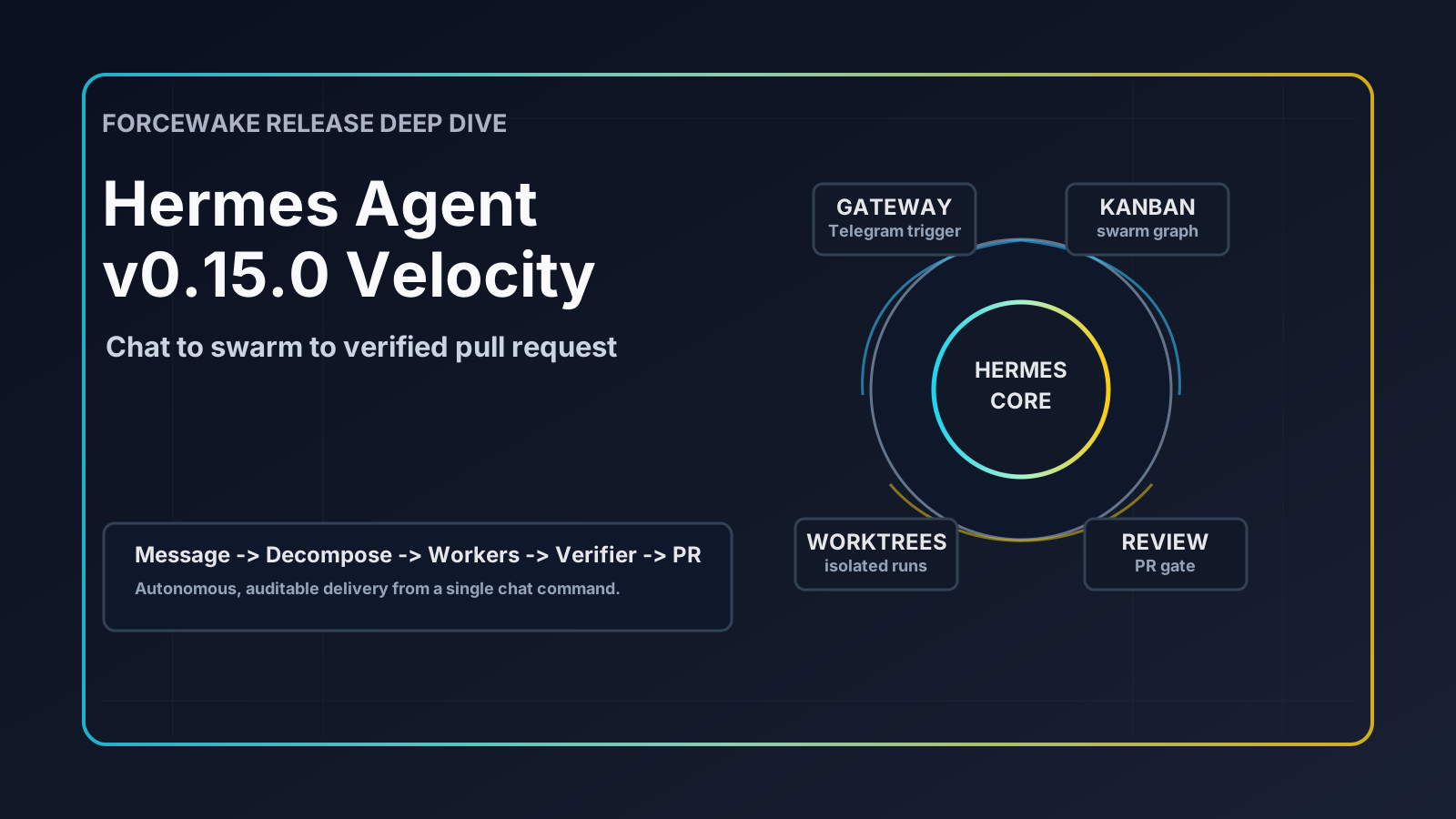
How a single Telegram message can spin up a swarm of AI agents, decompose your work, run a TDD pipeline in isolated git worktrees, and ship a PR — all while you’re asleep.
TL;DR
Hermes Agent v0.15.0 (codenamed The Velocity Release) landed on May 28, 2026 with 747 PRs, 1,302 commits, and 321 contributors. It transforms Hermes from a smart chat-driven coding agent into a production-grade autonomous multi-agent orchestration platform. The big-ticket items:
- Kanban multi-agent platform — swarm topology, auto-decomposition, per-task model overrides, worktree-per-task
run_agent.pyrefactor — 16k → 3.8k LOC (-76%), agent loop carved into 14 cohesive modules- Cold-start perf — another second shaved, 47% fewer per-turn function calls
session_searchrebuilt — 4,500× faster, no LLM, no cost- Promptware defense — Brainworm-class prompt-injection attacks blocked at three chokepoints
- Bitwarden Secrets Manager — one bootstrap token replaces every per-provider API key
- Skill bundles —
/<name>loads multiple skills in one shot - TUI session orchestrator — multiple live sessions in one window
- ntfy push notifications — the 23rd messaging platform
- Nous-approved MCP catalog — interactive picker for vetted MCP servers
- Deep xAI integration — Web Search plugin, OAuth proxy, retirement detection, natural TTS
This post is a hands-on tour. I’ll show you the actual commands, the configuration, the mermaid diagrams of the topology, and the patterns I’ve found useful running this in production.
1. The Setup — One Agent, Many Brains
Before diving into features, let’s establish the mental model. Hermes is a conversational AI agent that lives on your machine and connects to:
- LLM providers — OpenAI, Anthropic (via Copilot), xAI, OpenRouter, Bedrock, Codex, Ollama, …
- Messaging platforms — Telegram, Slack, Discord, Mattermost, Matrix, ntfy, WhatsApp, … (23 total)
- MCP servers — GitHub, Filesystem, Azure, Microsoft 365, custom servers
- Skills — reusable workflows loaded on demand (
research-driven-development,test-driven-development, etc.) - A kanban board — persistent task queue with autonomous workers
graph LR
    User[You] -->|Telegram message| Gateway
    Gateway[Hermes Gateway<br/>systemd service] -->|spawns| Agent[AIAgent]
    Agent -->|delegate_task| Sub1[Subagent: Research]
    Agent -->|delegate_task| Sub2[Subagent: Implement]
    Agent -->|delegate_task| Sub3[Subagent: Review]
    Agent -->|kanban API| Kanban[(Kanban DB<br/>SQLite)]
    Gateway -->|dispatcher tick 60s| Kanban
    Kanban -->|claim + spawn| Worker[Worker Agent]
    Agent -.->|MCP| MCP1[GitHub MCP]
    Agent -.->|MCP| MCP2[Azure MCP]
    Agent -.->|MCP| MCP3[MS365 MCP]
    style Gateway fill:#4a90e2,color:#fff
    style Kanban fill:#e2884a,color:#fff
The gateway is the always-on process. It listens on every configured messaging platform, owns the kanban dispatcher, and spawns agent processes on demand. A single config (~/.hermes/config.yaml) wires it all together.
My minimal stack:
model:
  default: gpt-5.5
  provider: openai-codex          # main orchestrator

delegation:
  model: claude-opus-4.6          # subagents use Claude
  provider: copilot
  api_mode: chat_completions      # CRITICAL: must match the model
  max_concurrent_children: 5
  max_spawn_depth: 3

agent:
  max_turns: 200
  gateway_timeout: 3600

kanban:
  dispatch_in_gateway: true       # the magic flag
  dispatch_interval_seconds: 60
  auto_decompose: true
  auto_decompose_per_tick: 3
  failure_limit: 2
The api_mode gotcha — if your orchestrator (gpt-5.5) uses the Responses API but your delegation target (claude-opus-4.6) only speaks Chat Completions, Hermes will infer the wrong mode and every subagent will fail with HTTP 400. Pin
delegation.api_modeexplicitly. This bit me hard before I figured it out.
2. Kanban: From Todo List to Multi-Agent Swarm
The Kanban platform is the centerpiece of v0.15. It’s a SQLite-backed task graph with an embedded dispatcher that turns tasks into autonomous agent runs.
2.1 Boards and tasks
# One-time setup
hermes kanban init
hermes kanban boards create infra-migration --switch

# Simple task
hermes kanban create "Audit current Azure resources" --assignee alice

# Task with workspace isolation (git worktree on a new branch)
hermes kanban create "Refactor auth module" \
  --workspace worktree \
  --branch wt/auth-refactor \
  --max-runtime 2h \
  --max-retries 2
Three workspace modes — pick the one that matches the blast radius:
| Mode | Flag | When to use |
|---|---|---|
| Scratch | --workspace scratch | Throwaway exploration, research |
| Worktree | --workspace worktree --branch wt/foo | Real code changes, isolated branch |
| Directory | --workspace dir:/data | Long-running task that needs persistence |
2.2 The Swarm topology
This is where things get spicy. One command builds the full topology:
hermes kanban swarm "Build payment API" \
  --worker alice:"Design schema" \
  --worker bob:"Implement REST endpoints" \
  --worker charlie:"Write tests" \
  --verifier david \
  --synthesizer eva
flowchart TD
    Root[Root Task<br/>Blackboard]
    Root --> W1[Worker 1<br/>Design schema]
    Root --> W2[Worker 2<br/>Implement REST]
    Root --> W3[Worker 3<br/>Write tests]
    W1 --> V[Verifier<br/>gated: waits for all workers]
    W2 --> V
    W3 --> V
    V -->|gate: pass| S[Synthesizer<br/>final integration]
    V -->|gate: fail| Loop[Re-dispatch workers]
    style Root fill:#4a90e2,color:#fff
    style V fill:#e29c4a,color:#fff
    style S fill:#4ae28b,color:#fff
Three things make this powerful:
- Parallelism — workers run concurrently in isolated worktrees. No git conflicts.
- Gated verification — the verifier only runs when all workers complete. It posts
{"gate": "pass"}or{"gate": "fail"}to the blackboard. - Shared blackboard — workers post structured JSON comments on the root task. Everyone reads everyone else’s progress.
Blackboard message format:
[swarm:blackboard] {
  "from": "alice",
  "key": "schema",
  "value": {"tables": ["payments", "refunds"], "indexes": [...]}
}
2.3 Per-task model overrides
Why pay opus prices for boilerplate? Route work by complexity:
from hermes_cli import kanban_db as kb

# Cheap model for grunt work
kb.create_task(
    title="Generate CRUD endpoints for User",
    model_override="gpt-4o-mini",
    workspace_kind="worktree",
    branch_name="wt/user-crud",
)

# Expensive model for hard problems
kb.create_task(
    title="Design event-sourcing topology",
    model_override="claude-opus-4.8",
    workspace_kind="scratch",
)
The dispatcher reads model_override when claiming a task and passes -m <model> to the worker subprocess.
2.4 Task lifecycle
stateDiagram-v2
    [*] --> triage: created with --triage
    triage --> todo: specify/decompose
    [*] --> todo: created directly
    todo --> ready: promote
    ready --> running: dispatcher claims
    running --> done: complete
    running --> blocked: failure_limit hit
    running --> ready: claim_ttl expired
    blocked --> ready: manual unblock
    done --> archived
    blocked --> archived
2.5 The dispatcher (autonomous engine)
This is what runs every 60 seconds inside the gateway:
sequenceDiagram
    participant D as Dispatcher
    participant DB as Kanban DB
    participant W as Worker Process

    loop every 60s
        D->>DB: SELECT stale claims (expired TTL)
        D->>DB: UPDATE → ready
        D->>DB: walk dependency graph, promote eligible
        D->>DB: SELECT WHERE status='ready' LIMIT N
        D->>DB: atomic CAS claim (claim_lock + expires)
        D->>W: spawn `hermes -p <profile> -m <model>` in workspace
        W->>W: run agent loop autonomously
        W->>DB: UPDATE status='done' on success
        D->>D: detect crashed workers (heartbeat + /proc)
    end
The atomic claim is what makes this safe to run with multiple dispatcher instances:
UPDATE tasks
SET claim_lock = ?, claim_expires = ?, status = 'running'
WHERE id = ? AND claim_lock IS NULL AND status = 'ready'
One UPDATE, one winner. No coordination needed.
3. Autonomous Orchestration from Telegram
The killer combo: Telegram + kanban + gateway dispatcher. Send a message, walk away, come back to a merged PR.
3.1 Wire Telegram to topics
I run a Telegram supergroup with topics that pin specific behaviors:
telegram:
  allowed_chats: '<YOUR_CHAT_ID>'                # supergroup id, negative number
  channel_prompts:
    '14': "You are a task manager. Help track, prioritize, and manage tasks."
    '16': "You are a senior software engineer. Use RDD for all development."
  group_topics:
    - chat_id: '<YOUR_CHAT_ID>'
      topics:
        - thread_id: 16
          name: Development
          skill: research-driven-development   # auto-loaded on every message
The Development topic — every message there auto-loads the RDD skill, so I never have to type /skill research-driven-development.
3.2 The fully autonomous flow
I send this in the Development topic:
“Set up a kanban swarm to add a
/healthzendpoint to the gateway. Workers: implement, test, document. Verify with a code reviewer. Use git worktrees.”
What happens:
sequenceDiagram
    participant U as User (Telegram)
    participant GW as Gateway
    participant Orch as Orchestrator Agent
    participant DB as Kanban DB
    participant Disp as Dispatcher (60s)
    participant W1 as Worker: Implement
    participant W2 as Worker: Test
    participant W3 as Worker: Document
    participant V as Verifier (Reviewer)

    U->>GW: "Set up a kanban swarm..."
    GW->>Orch: spawn agent with RDD skill
    Orch->>DB: hermes kanban swarm + 3 workers + verifier
    Orch->>U: "Created swarm 'gw-healthz' with 5 tasks"

    loop every 60s
        Disp->>DB: scan ready tasks
        Disp->>W1: spawn in worktree wt/healthz-impl
        Disp->>W2: spawn in worktree wt/healthz-test
        Disp->>W3: spawn in worktree wt/healthz-docs
    end

    W1->>DB: complete + blackboard post
    W2->>DB: complete + blackboard post
    W3->>DB: complete + blackboard post

    Disp->>V: workers done → spawn verifier
    V->>DB: gate=pass
    V->>GW: notify "All tasks complete, PR #42 created"
    GW->>U: 🎉 PR ready for review
The user-facing experience is one message, a confirmation, then an “all done” ping. Everything in between — claim, spawn, isolate, execute, verify, merge — happens autonomously.
3.3 Why this works
Three design choices make autonomous Telegram operation safe:
subagent_auto_approve: true— subagents don’t ask for permission. They report back.approvals.mode: manualin the orchestrator — destructive ops still need confirmation, but I can pre-approve viacommand_allowlist.worker_log_retention_days: 30— every worker run is logged. I can audit later.
4. Research-Driven Development (RDD) — The Pipeline
RDD is a Hermes skill that enforces a 7-phase pipeline for any non-trivial code change:
flowchart LR
    R[1. Research] --> B[2. Brainstorm]
    B --> Sp[3. Spec]
    Sp --> P[4. Plan]
    P --> I[5. Implement<br/>TDD]
    I --> Rv[6. Review<br/>read-only]
    Rv --> PR[7. PR]
    style R fill:#4a90e2,color:#fff
    style I fill:#4ae28b,color:#fff
    style Rv fill:#e29c4a,color:#fff
Each phase is a separate delegate_task() call, never inline. Each phase writes a permanent artifact to .hermes/rdd/YYYY-MM-DD-<slug>/:
.hermes/rdd/2026-05-29-add-healthz/
├── 01-research.md      # codebase + web research
├── 02-brainstorm.md    # approach options + tradeoffs
├── 03-spec.md          # final requirements
├── 04-plan.md          # task breakdown
├── 05-implement.md     # what was built + test results
├── 06-review.md        # reviewer findings (read-only agent)
└── 07-pr.md            # PR description
The system prompt I use:
agent:
  system_prompt: |
    When the user asks you to build, implement, fix, refactor, or improve code,
    load the research-driven-development skill and follow its full pipeline:
    research → brainstorm → spec → plan → implement (TDD) → review → PR.
    Each phase MUST be a separate delegate_task() call. Every phase writes
    an artifact to .hermes/rdd/. Commit design artifacts BEFORE implementation.
    Reviewers use toolsets=['file'] (read-only).
Why “read-only review” matters
The reviewer subagent gets toolsets=['file'] — it can read code but can’t write. This forces it to produce a written critique instead of “helpfully” fixing things and hiding bugs. I’ve caught real bugs this way that the implementer agent missed.
Combining RDD + Kanban
RDD inside a kanban swarm is the most powerful pattern I’ve found:
hermes kanban swarm "Migrate auth to OAuth2" \
  --worker arch:"Research + Spec (RDD phases 1-3)" \
  --worker impl:"Implement (RDD phases 4-5)" \
  --worker rev:"Review (RDD phase 6)" \
  --verifier human \
  --synthesizer release:"Create PR (RDD phase 7)"
Each kanban worker runs its slice of the RDD pipeline. The artifacts accumulate in .hermes/rdd/ and become a permanent design log committed alongside the code.
5. The Big Refactor — Why It Matters to You
run_agent.py was the 16,083-line behemoth at the heart of Hermes. In v0.15 it dropped to 3,821 lines (-76%), redistributed across 14 cohesive agent/* modules.
Before:
hermes_cli/run_agent.py 16,083 LOC ← editor takes 90s to open
After:
hermes_cli/run_agent.py         3,821 LOC  ← thin orchestrator
hermes_cli/agent/
├── conversation.py             ← the loop
├── tool_executor.py            ← tool calls
├── context_compressor.py       ← compression
├── stream_consumer.py          ← SSE handling
├── fallback.py                 ← cross-provider fallback
├── reasoning_state.py          ← Responses API state
├── ... (8 more modules)
Why you care
- Plugin authors can finally
grep— extending Hermes is no longer “hold the whole file in your head” - Test patch paths preserved — every extraction kept a thin forwarder on
AIAgent. Your monkeypatches still work. - Future velocity — the next 30 days of features ship faster because this refactor unblocked everything
It’s the kind of release-quality engineering that pays compound interest.
6. Performance Wave
Three optimization rounds, all measured:
| Optimization | Impact |
|---|---|
Defer openai._base_client import | -240ms / -17MB per CLI invocation |
| Hot-path optimizations | -47% per-turn function calls (399k → 213k for 31-turn chat) |
| Defer compression-feasibility check | -170 to -290ms per agent construction |
| Adaptive subprocess polling | -195ms per tool call, 1+ second per turn |
Real-world result: hermes --version cold drops 63% (701ms → 258ms). Hermes now wins 6 of 11 head-to-head latency benchmarks against Codex CLI, up from 5.
session_search — the 4,500× win
The old session_search was an aux-LLM tool: ~$0.30/call, ~30s for 3 sessions, and it confabulated when the right session wasn’t in the FTS5 hit list.
The new one:
hermes session_search "kanban swarm design"     # 20ms, $0
hermes session_search --scroll session_id 100   # 1ms
hermes session_search --browse session_id       # 1ms
Three modes inferred from which args are set. No LLM. No cost. No mode parameter. The shape of the API itself does the dispatching.
7. Security: Promptware Defense + Bitwarden
7.1 Promptware kill chain
Inspired by recent Brainworm / Promptware Kill Chain research (arxiv 2601.09625), Hermes now defends against prompt injection at three chokepoints:
flowchart LR
    Tool[Tool Output] -->|delimiter markers| Ctx[Context Window]
    Mem[Recalled Memory] -->|scanned at load| Ctx
    Skill[Stored Skill] -->|threat patterns| Ctx
    Ctx -->|safe| Agent
    Tool -.->|fail pattern match| Block1[BLOCKED]
    Mem -.->|fail pattern match| Block2[BLOCKED]
    Skill -.->|fail pattern match| Block3[BLOCKED]
    style Block1 fill:#e24a4a,color:#fff
    style Block2 fill:#e24a4a,color:#fff
    style Block3 fill:#e24a4a,color:#fff
Single source of truth at tools/threat_patterns.py, ~15 new Brainworm/C2 patterns. Tool results get delimiter markers so a malicious file can’t impersonate Hermes’ own system content.
Paired with a security-guidance plugin that pattern-matches dangerous code writes before they hit disk.
7.2 Bitwarden Secrets Manager
Stop hoarding API keys in ~/.hermes/.env. One bootstrap token, every credential pulled at startup:
secrets:
  bitwarden:
    enabled: true
    access_token_env: BWS_ACCESS_TOKEN
    project_id: "your-bw-project-id"
    cache_ttl_seconds: 300
    override_existing: true        # Bitwarden is source of truth
    auto_install: true             # `bws` auto-installs on first use
export BWS_ACCESS_TOKEN="0.xyz..."
hermes  # all keys (OPENAI_API_KEY, ANTHROPIC_API_KEY, GITHUB_TOKEN, ...) pulled from BW
Rotate a key in the Bitwarden web app, restart Hermes, the rotation takes effect. EU Cloud and self-hosted BW URLs supported. Detected credentials are labeled with their source in hermes doctor.
8. Skill Bundles, Ecosystem, MCP Catalog
8.1 Skill bundles — one slash, many skills
# ~/.hermes/skills/bundles/writing-day.yaml
name: writing-day
skills:
  - humanizer
  - ideation
  - obsidian
  - youtube-content
> /writing-day
✓ Loaded 4 skills: humanizer, ideation, obsidian, youtube-content
I run a /dev-day bundle that loads research-driven-development + test-driven-development + systematic-debugging + requesting-code-review. One key combo, full workflow active.
8.2 New optional skills
code-wiki— Karpathy-style LLM-Wiki, persistent indexed dev wiki for your codebaseopenhands— delegate to OpenHands CLI alongside claude-code, codex, opencodeweb-pentest— OWASP-style web pentest recipes
8.3 Nous-approved MCP catalog
hermes mcp
Interactive picker with vetted MCP servers. Credentials prompted at install time, written to ~/.hermes/.env. First entry: n8n. No more hunting GitHub for trusted MCPs.
8.4 ntfy — push notifications without an account
mcp_servers: { ... }
# (ntfy is a platform plugin, not MCP)

# Just add ntfy as a platform target
notifications:
  ntfy:
    topic_url: https://ntfy.sh/your-secret-topic-name
> hermes send "Build finished"
Lands on your phone, watch, desktop, homelab. No signup, no API key.
9. Putting It All Together
Here’s the workflow I run when shipping a real feature, top to bottom.
Step 1 — Tell Telegram what I want
In the Development topic:
“Implement a
/healthzendpoint on the gateway. Use RDD. Set up a kanban swarm: research, implement, test, review, PR. Use worktrees on branchwt/healthz-*.”
Step 2 — Hermes confirms
🤖 Created kanban swarm 'healthz-2026-05-29' with 5 tasks:
   - research (assigned: rdd-researcher, worktree: wt/healthz-research)
   - implement (assigned: rdd-implementer, worktree: wt/healthz-impl)
   - test (assigned: rdd-tester, worktree: wt/healthz-test)
   - review (verifier, read-only)
   - pr (synthesizer)
Dispatcher will start picking up tasks in <60s.
Step 3 — I close Telegram and go cook dinner
The gateway dispatcher ticks. Workers spawn in their worktrees. Each runs its slice of RDD:
gantt
    title Autonomous execution timeline
    dateFormat HH:mm
    axisFormat %H:%M

    section Research
    rdd-researcher          :a1, 19:00, 8m

    section Implementation
    rdd-implementer (TDD)   :a2, after a1, 14m

    section Tests
    rdd-tester              :a3, after a1, 12m

    section Review
    verifier (read-only)    :a4, after a2 a3, 4m

    section PR
    synthesizer             :a5, after a4, 2m
Step 4 — ntfy ping on my phone
🎉 healthz-2026-05-29 complete
   PR #42 opened: https://github.com/foo/gateway/pull/42
   All 5 tasks done. 0 retries. Total: 40m.
   Review artifacts: .hermes/rdd/2026-05-29-healthz/
Step 5 — I review the PR
I open .hermes/rdd/2026-05-29-healthz/06-review.md to see what the read-only reviewer found. If it flagged something the implementer missed, I send Telegram:
“Address the reviewer’s note about race conditions in the healthcheck poller. Add an integration test.”
Hermes spins up a follow-up kanban task in the same worktree, fixes it, pushes to the same PR.
Step 6 — Merge
Manual step. I’m not that trusting.
Closing Thoughts
The pattern that v0.15 enables — chat → swarm → autonomous worktree execution → PR — is qualitatively different from “AI pair programmer.” It’s delegation infrastructure. You stop thinking “what should the AI type?” and start thinking “what’s the task graph?”
A few principles I’ve internalized:
- Always pin
delegation.api_modewhen mixing providers - Use worktrees for anything touching real code — scratch for exploration only
- Route by complexity —
gpt-4o-minifor CRUD,claude-opus-4.8for design - Read-only reviewers catch real bugs — give up the urge to make them “helpful”
- RDD artifacts are documentation — commit them, they’re the design log future-you will thank you for
- The dispatcher is your friend — once it’s running in the gateway, autonomous work is just one Telegram message away
If you want to try this, install Hermes, set up the gateway as a systemd service, wire one Telegram bot, and run:
hermes kanban init
hermes kanban boards create my-first-board --switch
hermes kanban swarm "Add a hello-world endpoint" \
  --worker dev:"implement it" \
  --verifier rev
Then close the terminal. Wait. See what shows up.